 CyberMind-FR
99af60bc16
CyberMind-FR
99af60bc16
Some checks are pending
License Headers / check (push) Waiting to run
The 'final nginx cleanup' branch runs precisely when nginx -t fails, but nginx_error=$(nginx -t|head) and missing_file=$(...grep...) then trip set -e/pipefail and abort the whole build right after the warn. Guard both with || true. nginx config is regenerated at first boot by secubox-net-detect, so a build-time-invalid config is non-fatal. This was the last blocker on the amd64 USB (kiosk + everything else already pass). |
||
|---|---|---|
| .claude | ||
| .gitea/workflows | ||
| .github/workflows | ||
| .superpowers/brainstorm/1465198-1777214258 | ||
| .vscode | ||
| apt | ||
| board | ||
| cache/repo | ||
| clients | ||
| cmd/secubox | ||
| common | ||
| config | ||
| daemon | ||
| docs | ||
| doctrine/opad | ||
| hardware | ||
| image | ||
| kernel-build | ||
| packages | ||
| profiles | ||
| prototypes | ||
| redroid | ||
| remote-ui | ||
| repo | ||
| schemas | ||
| scripts | ||
| templates | ||
| tests | ||
| tools | ||
| vm | ||
| wiki | ||
| .cache-lint-allowlist.toml | ||
| .gitignore | ||
| build-eye-remote-full.sh | ||
| CLAUDE.md | ||
| HOWTO-grammar.md | ||
| LICENCE-CMSD-1.0.md | ||
| LICENSE-CMSD-1.0.en.md | ||
| LICENSING.md | ||
| PROMPT_SYSTEM.md | ||
| pytest.ini | ||
| README.md | ||
| REPORT-2026-04-10.md | ||
| secubox.conf.example | ||
| setup-dev.sh | ||
| TOOLS.md | ||
SecuBox
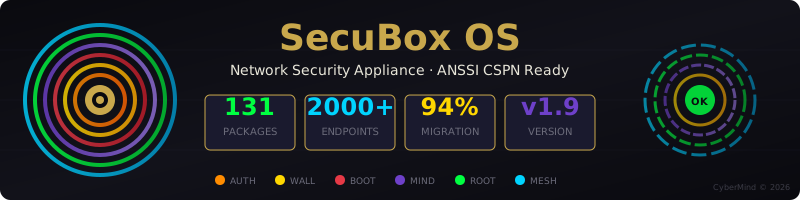
Your Network Security Appliance — Plug, Protect, Peace of Mind




📡 VILLAGE3B — Cabine Numérique Gondwana ToolBoX

Diagnostic compromission iPhone gratuit · Anonyme · Open Source
3 niveaux d'opt-in (R0 bypass complet, R1 analyse passive ✓ recommandée, R2 TLS-break + bandeau). Rapport téléchargeable avec 9 widgets metrics : 🌐 connexions · 📡 hôtes · ✅ OK 2xx · 🔒 cert-pinning · 📺 apps · 🍪 trackers · 🌍 pays · 🎯 score · 📱 device. Conformité CSPN ANSSI + LCEN. Aucune donnée externe.
- Détails techniques : docs/AI-HANDOVER-cabine-evolution.md
- Brief poster + variantes : docs/marketing/POSTER-grand-public-village3b.md
- Press kit + candidatures France.gouv : docs/marketing/PROMPT-claude-presse-gouv.md
- Issue tracking poster : #497
🕸️ Cartographie sociale — « You Have Been Tracked » (Phase 11)

Le même navigateur, reconnu de site en site.
En R3 consenti, la cabine corrèle les cookies tiers et les fingerprints JA4 par device pour révéler, en temps réel, quels acteurs commerciaux reconnaissent votre navigateur à travers les sites visités. Un relais ad-tech reliant 4 éditeurs (360yield + seedtag + smartadserver + smilewanted via la même IP) saute aux yeux dans le graphe force-dirigé.
- Vue per-client :
https://kbin.gk2.secubox.in/social/me(🕸️ « Ma carto »)- Graphe d3 plein écran (pan / pinch-zoom), évidence cross-site, effacement RGPD art. 17, rapport PDF bilingue (Phase 11.C).
- Anonyme :
mac_hashà sel rotatif 24h, aucune valeur de cookie brute persistée. Tout calculé localement.- Tableau opérateur :
admin.gk2.secubox.in/toolbox/#social.- Brief poster : docs/marketing/POSTER-you-have-been-tracked.md
- Plan + design lock : #502
🗡️ kbin — le premier outil du couteau suisse cyber
kbin (kbin.gk2.secubox.in) est le portail public de la ToolBoX SecuBox — la
cabine numérique et première lame du couteau suisse cyber modulaire de
cybermind.fr. On s'y branche, on surfe normalement, et la lame
inspecte et protège le trafic de façon transparente :
| 🗡️ | Lame |
|---|---|
| ⚡ | Performance transparente — on ne déchiffre que ce qu'on modifie (SNI-splice sélectif) |
| 🔒 | Full encrypted — inspection MITM complète, forge de cert par hôte, fingerprint Chrome uTLS |
| ☠️ | Injection de poison & smog — le trafic ad-tech ressort empoisonné, pas seulement bloqué |
| 🚫 | Bandeau anti-adware — transparence injectée, immune au CSP, SPA-aware |
| 🛡️ | Safe browsing — Vortex DNS + blacklist nft + détection anti-bot |
Prochaine lame — 🧅 mode Tor quick-switch (#683). Un tap → le surf ressort par le réseau Tor (egress sortant, pseudo-network) : l'inspection reste intacte, seule l'IP de sortie devient anonyme. Fail-closed, opt-in, sans fuite DNS.
- Use-case : docs/wiki/Kbin-Toolbox.md
- FAQ : docs/FAQ-KBIN-TOR.md
License — CyberMind Source-Disclosed (CMSD-1.0)
Source disclosed, rights reserved.
This software is released under the CyberMind Source-Disclosed License v1.0 — a source-available license designed for transparency and security auditability while preserving all commercial rights.
| What you CAN do | What you CANNOT do |
|---|---|
| Read and study the source code | Use in production (any environment) |
| Compile for isolated testing/audit | Redistribute or create derivatives |
| Publish security research results | Integrate into other products |
| Quote in academic/journalistic contexts | Provide as hosted service (SaaS) |
ANSSI CSPN Ready: The license explicitly authorizes audits by accredited security labs (CESTI, CC equivalents) without prior authorization.
See LICENCE-CMSD-1.0.md (French, authoritative) or LICENSE-CMSD-1.0.en.md (English, informative).
| Metric | Value |
|---|---|
 |
139 .deb packages |
 |
131/139 modules migrated |
 |
FastAPI + JWT auth |
|  |
SecuBox transforms any compatible device into a complete network security appliance with VPN, firewall, intrusion detection, and web dashboard — all preconfigured and ready to use.
Status (2026-06-02) — Versioning is dev alpha. The current line (v2.13.x) is all-in-the-pipe working — partly efficient, partly modules-integration-ready, partly upgradeable, first-point POC. Design philosophy : KISS. SecuBox aims to be a full operating system for a security tool — a Swiss army knife + modular OS appliance. See the wiki Use-Cases page for scenario-by-scenario tweaks.
Latest Releases


v2.13.x — Main system line (2026-05-29 → ongoing)
The current release line. v2.13.4 unblocked the arm64 APT publish (chain #425 / #427 / #431). v2.13.10 produced the first working rpi400 kiosk image (chain #433 / #436). v2.13.11 mass-masks non-essential services so the kiosk boots on a 4 GB Pi 400 (#442). v2.13.12 enables the X cursor on the kiosk for salon-ready operator visibility (#444).
| Target | File | Notes |
|---|---|---|
| VirtualBox / QEMU / KVM (amd64) | secubox-vm-x64-bookworm.img.gz |
service cascade in VBox is a known limit, #422 |
| Live USB / amd64 PC | secubox-live-amd64-bookworm.img.gz |
validated in VBox, boots to kiosk login |
| MOCHAbin (Marvell Armada 7040) | secubox-mochabin-bookworm.img.gz |
primary appliance target |
| Raspberry Pi 400 / Pi 4 | secubox-rpi-arm64-bookworm.img.gz |
kiosk-by-default since v2.13.10 |
| Installer ISO (any amd64 host) | secubox-installer-amd64-bookworm.iso.gz |
dual format .iso + .img |
| APT repository | https://apt.secubox.in/ |
signed arm64 + amd64 since v2.13.4 |
| SHA256SUMS | SHA256SUMS |
verify every download |
All artefacts are attached to the latest release page — links above are illustrative ; the shield at the top of this section follows the latest stable tag automatically.
v2.2.1-eye-remote — Round display (2026-05-11)
Side-line image for the Pi Zero W round-display dashboard. Not part of the main v2.x.y line — refreshed independently when the kiosk stack moves.
| Target | Download |
|---|---|
| Pi Zero W + HyperPixel 2.1 Round | secubox-eye-remote-2.2.1.img.xz |
Verifying downloads
Every release attaches a SHA256SUMS file alongside the artifacts. Verify before flashing:
sha256sum -c SHA256SUMS 2>&1 | grep -v 'OK$' || echo "all hashes match"
For the amd64 VirtualBox target there's a turn-key tester bundle under output/ci-vm-x64-25983593168/ — drop-in verify.sh + raw_to_vdi.py (no qemu-img/VBoxManage needed) + step-by-step README.md. Boot in 4 commands; see output/ci-vm-x64-25983593168/FIX-PXE.md if the VBox EFI ever lands on the PXE screen.
What You Get
- VPN Server — WireGuard with QR codes for mobile devices
- Intrusion Detection — CrowdSec IDS/IPS with automatic threat blocking
- WAF Active Enforcement — mitm pattern detection → CrowdSec →
nftkernel drop (~12s round-trip). Plus pre-mitm rate-limit (slowloris kill) and nginx honeypot routes. See wiki. - R3 Portable Tunnel — WireGuard + transparent mitm so the cabine's privacy analysis follows you anywhere (4G, public WiFi). Multi-OS install guide here.
- Network Monitoring — Real-time traffic analysis and bandwidth control
- Web Dashboard — Modern dark-themed interface accessible from any browser
- Automatic Updates — Security patches applied automatically
Quick Start
Option 1: VirtualBox (Try It Now)
Download and run in VirtualBox — no hardware required:
# Download the image
wget https://github.com/CyberMind-FR/secubox-deb/releases/latest/download/secubox-live-amd64-bookworm.img.gz

# Extract
gunzip secubox-live-amd64-bookworm.img.gz

# Create VM (requires VBoxManage)
./scripts/create-secubox-vm.sh secubox-live-amd64-bookworm.img
Access: Open https://localhost:9443 in your browser
Login: admin / secubox
Option 2: Live USB (Any PC)
Boot from USB on any x86_64 computer:
# Download
wget https://github.com/CyberMind-FR/secubox-deb/releases/latest/download/secubox-live-amd64-bookworm.img.gz

# Flash to USB (replace /dev/sdX with your USB device)
zcat secubox-live-amd64-bookworm.img.gz | sudo dd of=/dev/sdX bs=4M status=progress
Boot from USB, then access the dashboard at https://<device-ip>/
Option 3: Dedicated Hardware
For 24/7 operation, flash to dedicated hardware:
| Device | Best For | Image |
|---|---|---|
| Raspberry Pi 4/5 | Home use | secubox-rpi-arm64-*.img.gz |
| ESPRESSObin | Small office | secubox-espressobin-v7-*.img.gz |
| MOCHAbin | Enterprise | secubox-mochabin-*.img.gz |
| Any x86_64 PC | Repurposed hardware | secubox-live-amd64-*.img.gz |
Features
Security Dashboard
Central control panel showing system health, active threats, and quick actions.
VPN (WireGuard)
Create VPN connections with one click. Scan QR codes on mobile devices.
Intrusion Detection (CrowdSec)
Automatic threat detection and IP blocking with community threat intelligence.
Network Control
- Bandwidth management (QoS)
- Device access control
- Deep packet inspection
- Virtual hosts with SSL
System Management
- Service control
- Log viewer
- Automatic backups
- Easy updates
CTL Grammar — modular tools box
Copyright spiritual concept · Gérald Kerma · 1991
Each SecuBox module exposes its capability through three surfaces — a
web UI, a FastAPI API, and a CTL command (/usr/sbin/<module>ctl). The
CTL is the grammar of the system: each verb is a sentence addressed
to a specific layer of the operator's expressive control over their own
infrastructure.
| Layer | Verb |
|---|---|
| ROUTING | haproxyctl vhost add/remove |
| INTERCEPTION | mitmproxyctl route add/remove/list |
| REPLICATION | giteactl repo mirror add/remove |
| IDENTITY | giteactl user add/remove |
| CI EXECUTION | giteactl runner add/remove/list |
| PUBLISHING | publishctl post / dropletctl publish / metablogizerctl site |
| EMANCIPATE | metablogizerctl tor expose/revoke |
| HOSTING | streamlitctl app deploy/.../info |
| DEV WORKBENCH | streamforgectl project create/.../templates |
| OPS MONITORING | healthctl check/list/status/alert |
Composing the verbs expresses end-to-end workflows in three lines of
shell. See docs/grammar.md for the conceptual
frame and the layered architecture map.
To add a 9th verb, follow HOWTO-grammar.md —
the six-step recipe takes about an hour for a Bash CTL.
Eye Remote — External Dashboard

A standalone round display that connects to SecuBox via USB OTG, showing real-time metrics with a cyberpunk 3D visualization.
| Feature | Description |
|---|---|
| Hardware | Raspberry Pi Zero W + HyperPixel 2.1 Round (480×480) |
| Connection | USB OTG composite gadget (network + serial) |
| Display | 3D rotating cube + rainbow ring metrics |
| Metrics | CPU, Memory, Disk, Temperature, WiFi RSSI |
Quick Start
# Download Eye Remote image
wget https://github.com/CyberMind-FR/secubox-deb/releases/download/v2.2.1-eye-remote/secubox-eye-remote-2.2.1.img.xz

# Flash to SD card
xzcat secubox-eye-remote-2.2.1.img.xz | sudo dd of=/dev/sdX bs=4M status=progress
- Insert SD in Pi Zero W with HyperPixel display
- Connect USB DATA port (middle) to SecuBox
- Dashboard appears automatically (~60s boot)
SSH: pi@10.55.0.2 (password: raspberry)
📖 Full documentation: remote-ui/round/README.md
Default Credentials
| Service | Username | Password |
|---|---|---|
| Web Dashboard | admin |
secubox |
| SSH | root |
secubox |
Change these immediately after first login!
Support
- Wiki: github.com/CyberMind-FR/secubox-deb/wiki
- Issues: github.com/CyberMind-FR/secubox-deb/issues
- Email: support@secubox.in
License
CMSD-1.0 (CyberMind Source-Disclosed License) © 2026 CyberMind · Gérald Kerma See LICENCE-CMSD-1.0.md for terms.
Technical Reference (Click to Expand)
Architecture
OpenWrt / LuCI                   →    Debian bookworm
─────────────────────────────────────────────────────────
RPCD shell backend               →    FastAPI + Uvicorn (Unix socket)
UCI config /etc/config/          →    TOML /etc/secubox/secubox.conf
luci-app-*/htdocs/ (JS/CSS/HTML) →    Conservé + XHR réécrits
OpenWrt packages (.ipk)          →    Paquets Debian (.deb)
opkg                             →    apt + repo apt.secubox.in
Supported Hardware
| Board | SoC | RAM | Network | Profile |
|---|---|---|---|---|
| MOCHAbin | Armada 7040 Quad 1.8GHz | 4 GB | 2× SFP+ 10GbE + 4× GbE | Pro |
| ESPRESSObin v7 | Armada 3720 Dual 1.2GHz | 1–2 GB | WAN + 2× LAN DSA | Lite |
| ESPRESSObin Ultra | Armada 3720 Dual 1.2GHz | 2 GB | WAN PoE + 4× LAN + Wi-Fi | Lite+ |
| Raspberry Pi 4/400 | BCM2711 Quad 1.5-1.8GHz | 2-8 GB | GbE + USB | Lite |
| Raspberry Pi 5 | BCM2712 Quad 2.4GHz | 4-8 GB | GbE + USB | Full |
| VM x86_64 | Any | 2+ GB | Virtio/NAT | Full |
Packages (126 modules)
Core: secubox-core, secubox-hub, secubox-portal, secubox-system
Security: secubox-crowdsec, secubox-wireguard, secubox-auth, secubox-nac, secubox-waf, secubox-users
Network: secubox-netmodes, secubox-dpi, secubox-qos, secubox-vhost, secubox-haproxy
Monitoring: secubox-netdata, secubox-mediaflow, secubox-cdn
DNS/Email: secubox-dns, secubox-mail, secubox-webmail
Publishing: secubox-droplet, secubox-streamlit, secubox-metablogizer, secubox-publish
API Reference
All modules expose REST APIs at /api/v1/<module>/
# Login
curl -X POST https://localhost/api/v1/portal/login \
  -H 'Content-Type: application/json' \
  -d '{"username":"admin","password":"secubox"}'

# Use token
curl https://localhost/api/v1/hub/status \
  -H 'Authorization: Bearer <token>'
Key Endpoints:
GET /api/v1/hub/dashboard— Dashboard dataGET /api/v1/crowdsec/decisions— Active bansPOST /api/v1/crowdsec/ban— Ban IPGET /api/v1/wireguard/peers— VPN peersGET /api/v1/wireguard/qrcode/{peer}— Peer QR code
Configuration
Main config: /etc/secubox/secubox.conf (TOML)
[general]
hostname = "secubox"
timezone = "Europe/Paris"

[auth]
jwt_secret = "your-secret-key"
session_timeout = 86400

[network]
wan_interface = "eth0"
lan_interface = "eth1"
Development
# Setup
bash setup-dev.sh && source .venv/bin/activate

# Run module API
cd packages/secubox-crowdsec
uvicorn api.main:app --reload --port 8001

# Build package
dpkg-buildpackage -us -uc -b

# Build image
sudo bash image/build-image.sh --board vm-x64 --vdi
UI Design Guidelines
Color Palette (Cyberpunk/Hermetic):
| Variable | Color | Usage |
|---|---|---|
--cosmos-black |
#0a0a0f |
Background |
--gold-hermetic |
#c9a84c |
Accents, titles |
--cinnabar |
#e63946 |
Alerts, errors |
--matrix-green |
#00ff41 |
Success |
--void-purple |
#6e40c9 |
Links |
--cyber-cyan |
#00d4ff |
Info, hover |
--text-primary |
#e8e6d9 |
Main text |
Typography: Cinzel (titles), IM Fell English (body), JetBrains Mono (code)